For enterprises
Know what's happening across hundreds of accounts
Every account of every cloud in one inventory, every change with who made it, and every cost with an owner. So the questions that take a week of tickets take a query.
What gets in the way
Too big for anyone to see
Hundreds of accounts across AWS Organizations, Azure management groups and Google Cloud folders. Each team sees its slice, nobody the whole.
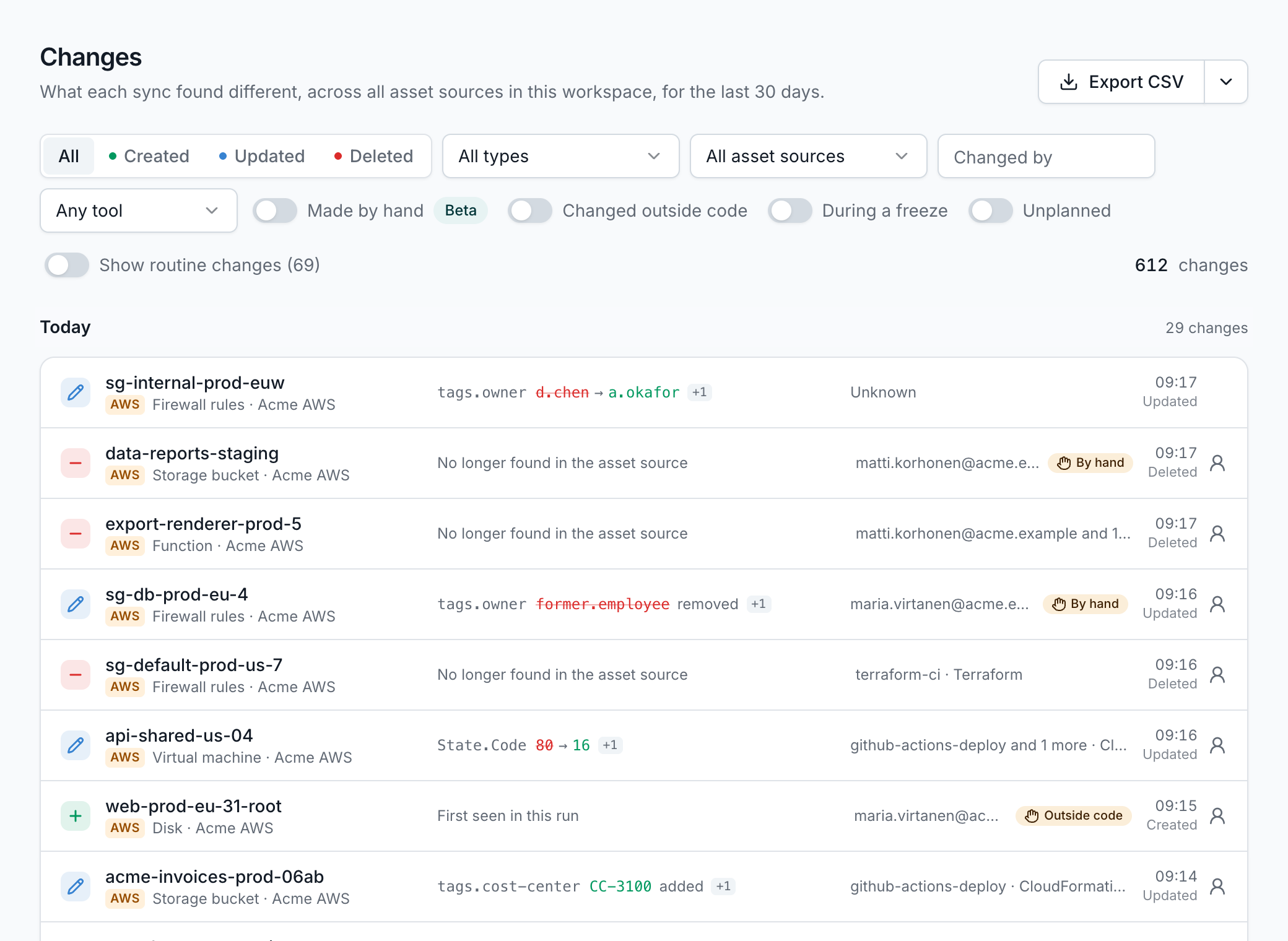
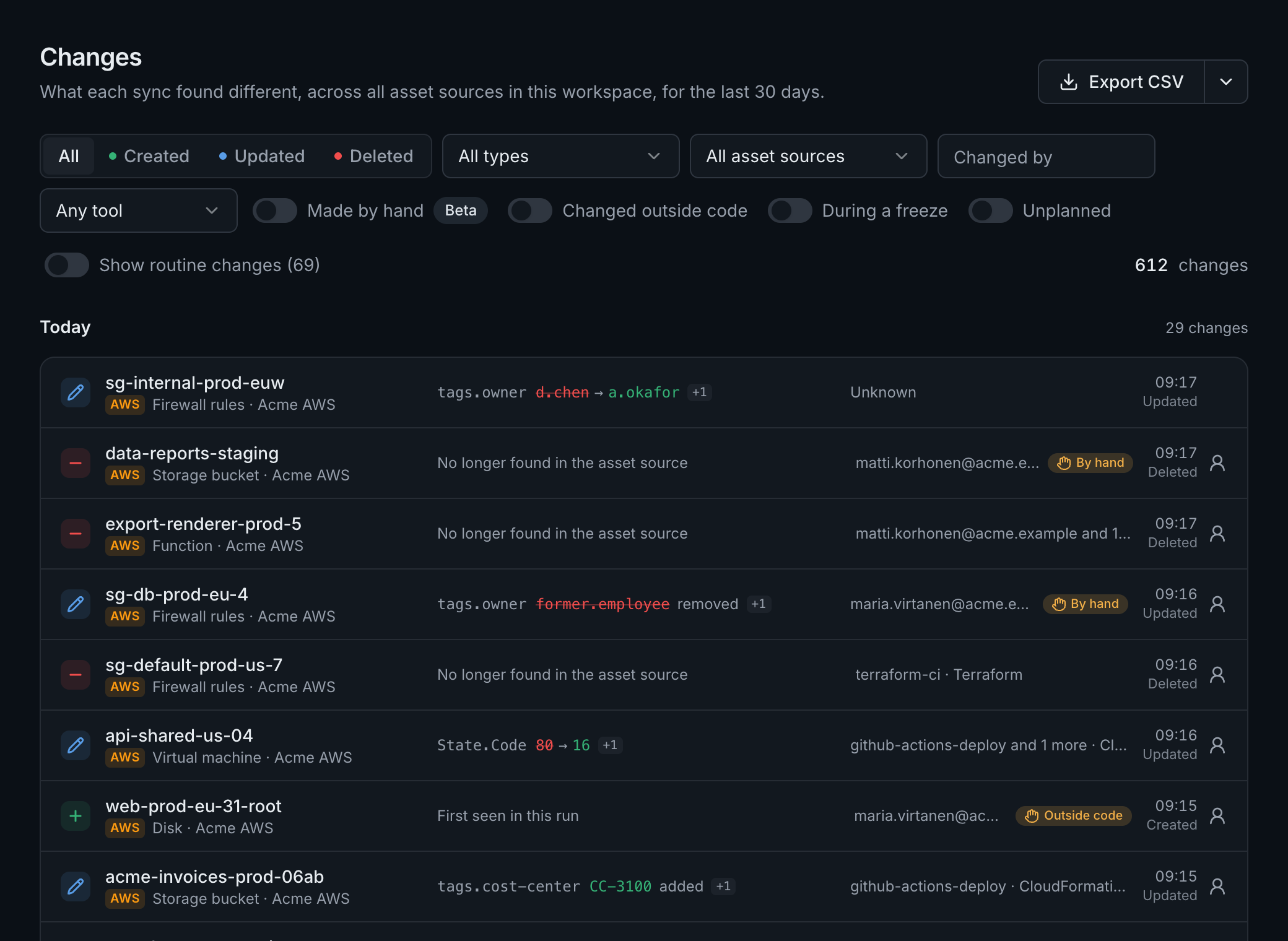
Changes nobody can explain
Something breaks after a change, and finding who made it means a CloudTrail search in the right account and region, if anyone kept the logs.
Cost without owners
The bill arrives as one number. Tags are patchy, shared costs land nowhere, and nobody acts on a cost that isn't theirs.
What changes
Every account, as it's created
Connect each organization or tenant once. New accounts are picked up on the next sync, and scope rules leave out what you don't want.
Who changed it, and howBeta
Each change tied to the person or pipeline that made it, and whether it went through your infrastructure code or was made by hand.
A cost owner for every row
Allocation rules give each cost row to a team or product, split shared cost, and close each month with a statement per cost center.
On the Team and Enterprise plansRead the docs: A cost owner for every row
Commitments that don't lapse
Every savings plan, reservation and committed use discount, what it covers, when it ends and what ends with it, told 90, 30 and 7 days ahead.
Savings the bill confirms
Assign each opportunity to an owner, and count it as saved only when the bill shows it, for a number you can report upward.
Infrastructure as code coverage
How much of what should be in code is, which stacks manage what, and what drifted from its template.
Ready for your security review
What procurement, security and legal will ask about, answered before they ask.
- 1
Read-only and keyless
A role, a workload identity grant or a managed identity per connection, generated for it and readable before you deploy it.
- 2
Isolated and in your region
Its own sign-in, services, tables and keys for your organization, and its data in the region you choose. On the Enterprise plan, each workspace can have its own.
- 3
Your sign-in rules
MFA on every password, sign-in with Google or Microsoft, and on the Team and Enterprise plans, sign-in required through your provider.
- 4
Staff access by your grant
Our staff read your logs only with a grant your admin gives on a support case, for up to 7 days, and every read is listed for you.
Dedicated hosting in an AWS account of your own is available with an Enterprise contract. sales@assethermit.com
Read more about
- Changes and codeWhat changed, who changed it, and whether it went through your infrastructure code.
- Cost for financeCost centers, month close, commitments and unit costs, for the people who book the bill.
- Security findings175 audit rules after every sync, each with the fix, tuned to what matters to you.
- Costs and savingsWhat every account, team and asset costs, what changed, and savings the bill proves.
Also for:Companies running their own cloudManaged service providersSecurity teamsFinance and FinOps
Take stock of your cloud
Start a 14-day free trial, no card needed. Connect a first cloud and see everything you run in one place.