Product
Everything about your clouds, in one read-only place
AssetHermit reads your AWS, Azure and Google Cloud estates with keyless, read-only access, and turns them into one inventory with its history, its findings, its costs and its operations.
Inventory and search
Every asset of every cloud in one inventory, searchable in one query language.
Connect an AWS Organization, a GCP organization or an Azure tenant once. Every account in it, and every account added later, lands in one normalized inventory.
| Name | Cloud | Region | Account | Cost, month |
|---|---|---|---|---|
| checkout-api-1 | AWS | eu-north-1 | shop-prod | $182.40 |
| search-indexer | GCP | europe-north1 | search-prod | $241.87 |
| ledger-worker | Azure | westeurope | payments-prod | $96.12 |
| checkout-api-2 | AWS | eu-north-1 | shop-prod | $182.40 |
| batch-runner-7 | AWS | us-east-1 | data-prod | $64.02 |
| vpn-gateway | Azure | northeurope | network-prod | $38.50 |
Search every cloud at once
One query language for AWS, Azure and GCP. It completes properties and values as you type, or you build the query in a form.
Every property of every type
Each resource type has a view with every property its cloud returns as a column, so no detail needs the console.
Asset groups
Name a set of assets by a query, such as Production or Payments team, and narrow the inventory, findings and costs to it.
Find anything
Press ⌘K for any asset, account, rule, page or setting by name, across the whole workspace.
Your AI estate
Bedrock, SageMaker, Vertex AI and Azure AI resources as one set of AI types, with 21 rules of their own.
CSV exports
Export any search, the change feed or a rule's findings. Large exports build in the background and wait for you.
Changes and code
What changed, who changed it, and whether it went through your infrastructure code.
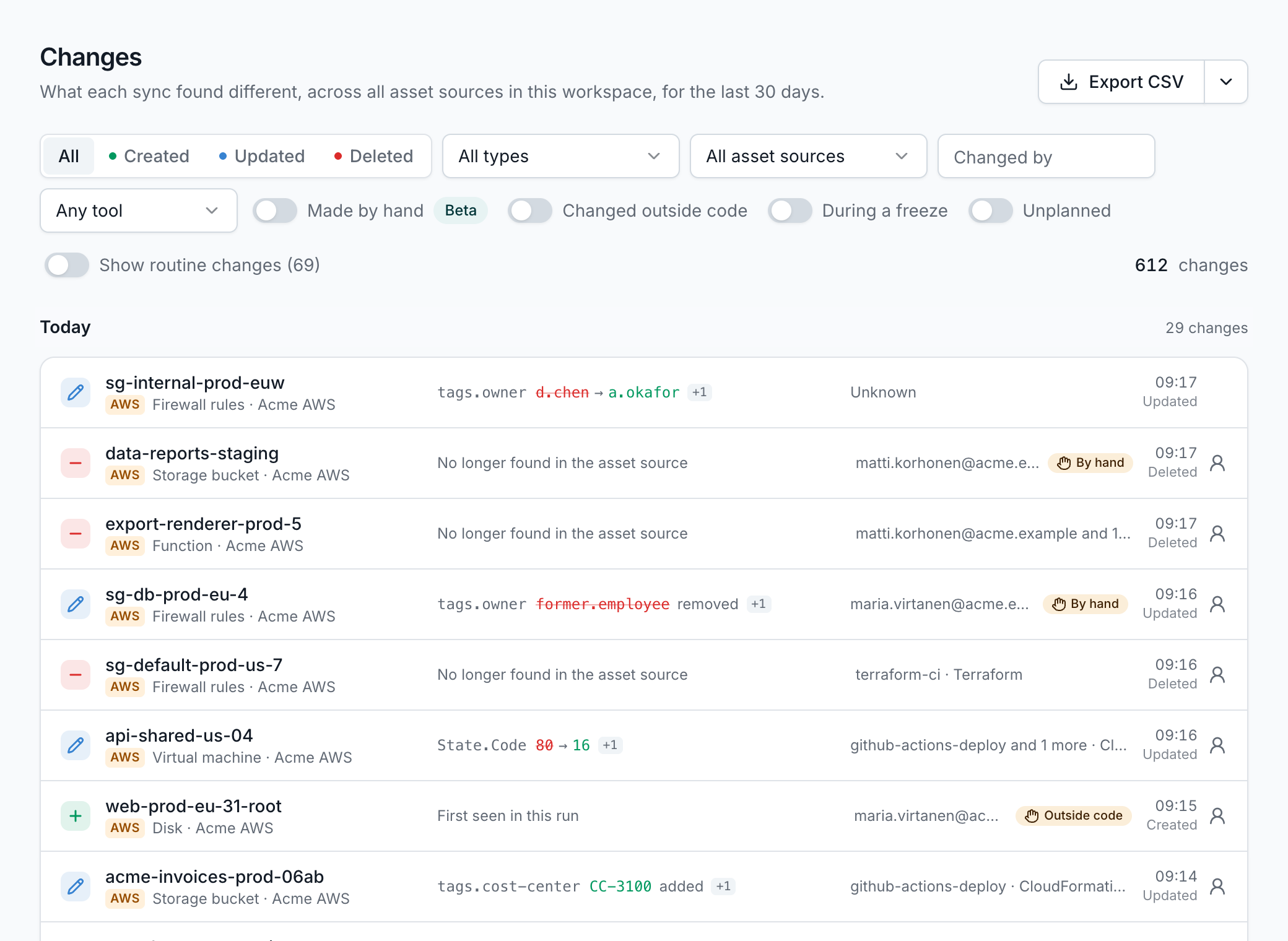
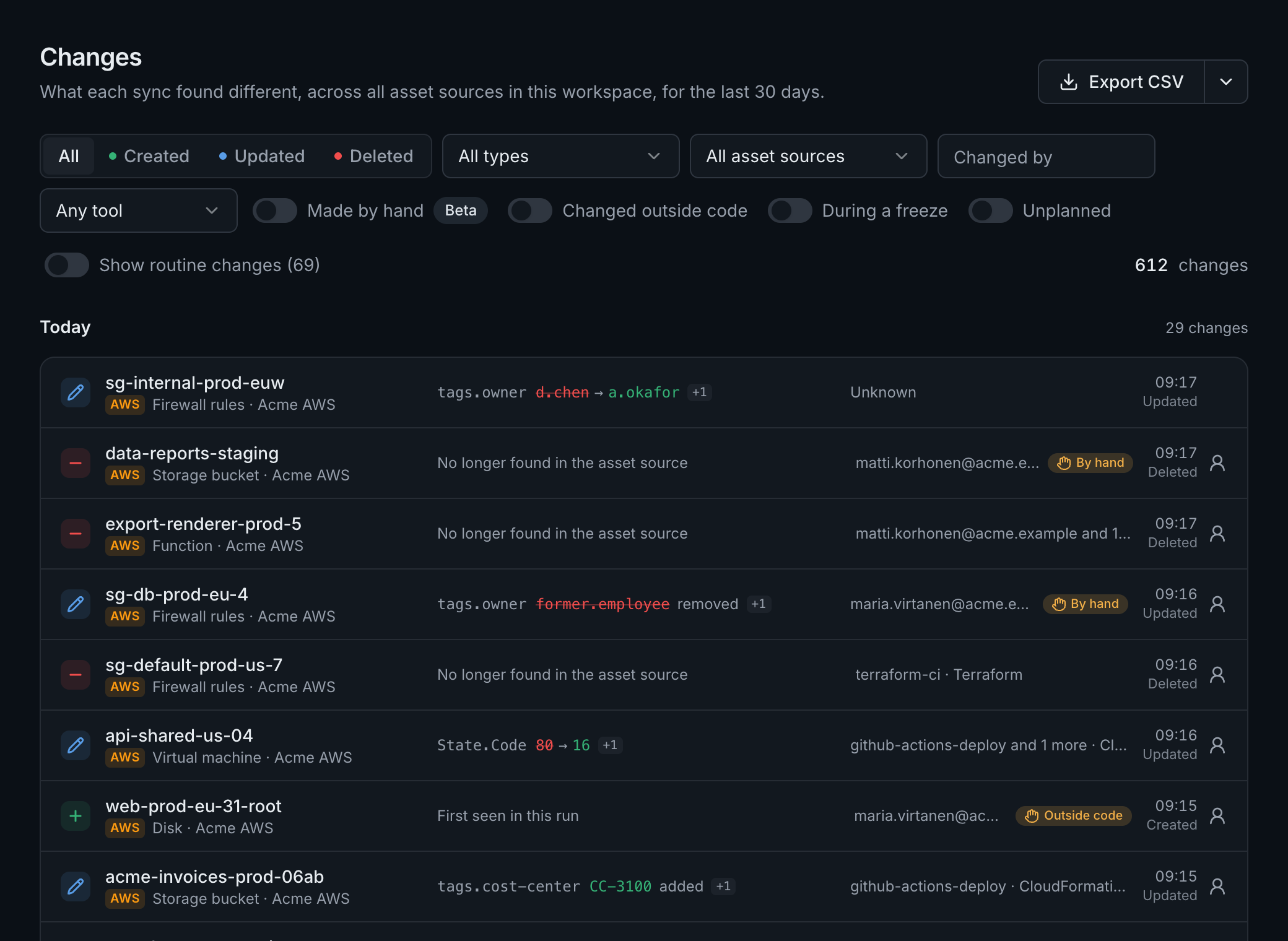
Every sync compares each asset with the last, so the inventory is also a history. AssetHermit tells routine noise from real changes, and changes in code from changes by hand.
Full change history
Every create, change and delete, with the properties that changed. Timestamps and counters that change on their own are folded away.
Who changed itBeta
Each change tied to the calls that made it, from CloudTrail, Azure's resource changes and Google's audit logs: who, with which tool, by hand or not.
Infrastructure as code coverage
Which assets CloudFormation, CDK or Azure deployment stacks manage, how much of what you expect is covered, drift, and who changed a managed asset by hand.
Terraform stateBeta
Connect the buckets your Terraform or OpenTofu state lives in. Only the fields that tie a resource to its address are kept.
Change calendarBeta
Certificate expiries, key rotations, runtime and version end of support, commitments ending and provider maintenance, on one calendar.
Planned changes and freezes
Put planned work and change freezes on the calendar, see changes that landed in a freeze, and subscribe from your own calendar app.
On the Team and Enterprise plansRead the docs: Planned changes and freezes
Security findings
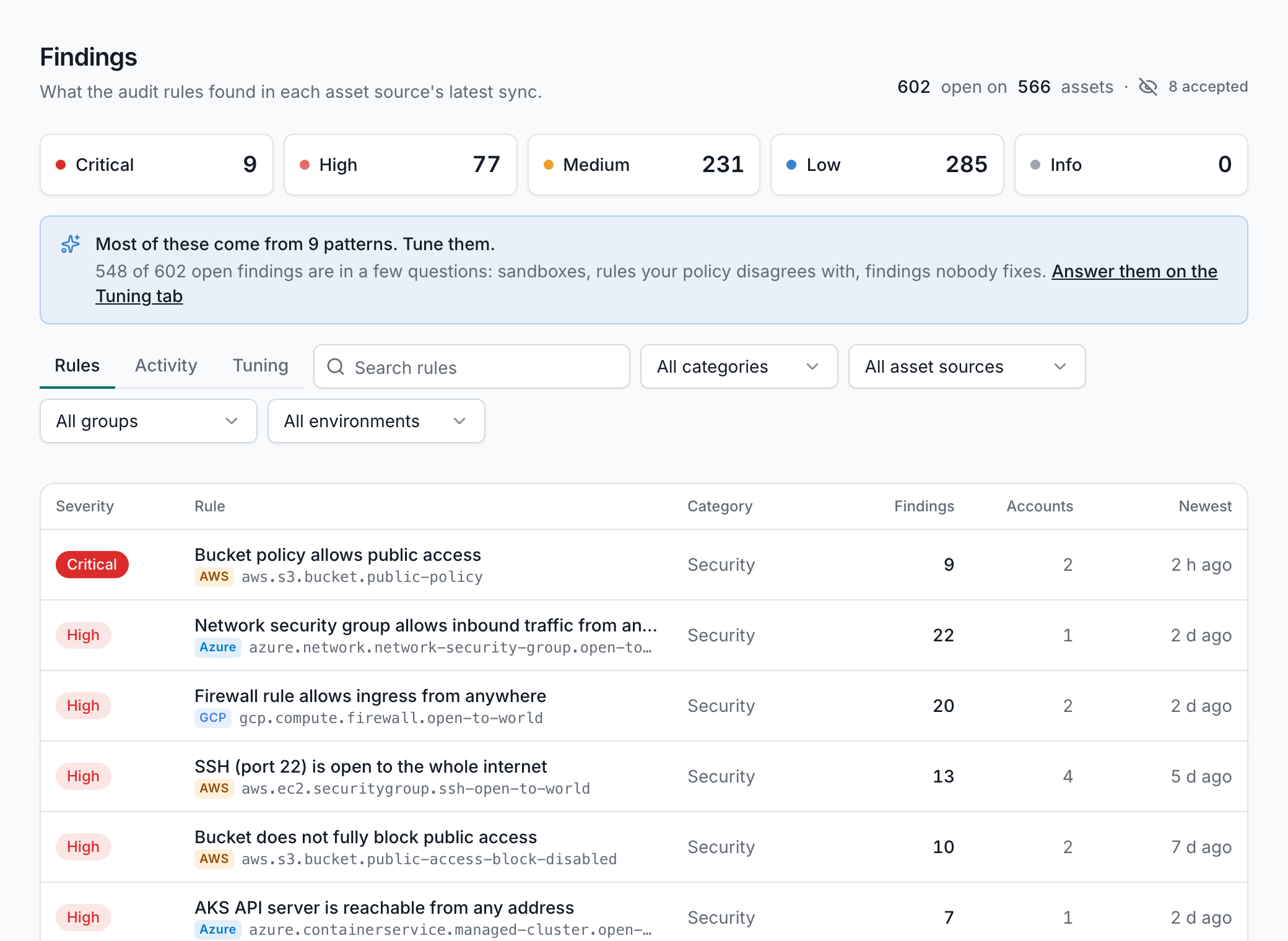
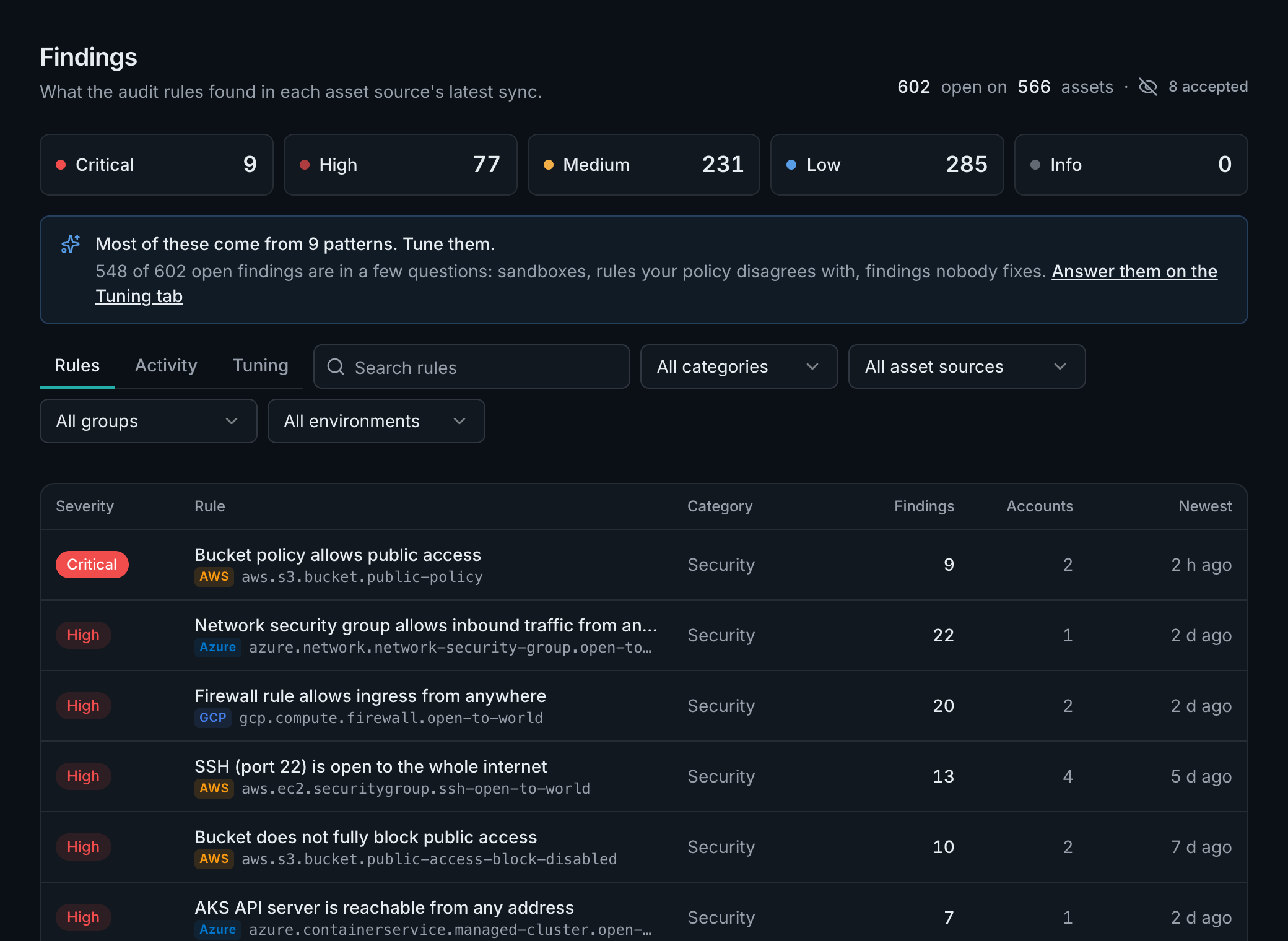
175 audit rules after every sync, each with the fix, tuned to what matters to you.
The same query language drives the audit rules, so every finding is one click from the inventory, and you can read exactly what a rule checks.
175 audit rules
Public buckets, open ports, unencrypted disks, old keys and more, checked after every sync. A finding resolves when a sync no longer matches it.
A guide with every rule
Why it matters, when it's fine, and the console steps and command that fix it. Findings one command fixes are grouped together.
Is that port really reached?
Rules on security groups open to the internet show what your flow logs saw: reached, attempted or quiet.
Tuned to your estate
Environments from your groups, tags or accounts, lower severity in sandboxes, and accepted findings with a reason, an owner and an expiry.
A tuning assistantBeta
It finds the noise, such as a rule that fires everywhere or a finding that flaps, and proposes changes an admin approves.
Evidence for audits
Export a rule's findings with their exceptions and reasons, and every change with who made it, for your auditors.
Costs and savings
What every account, team and asset costs, what changed, and savings the bill proves.
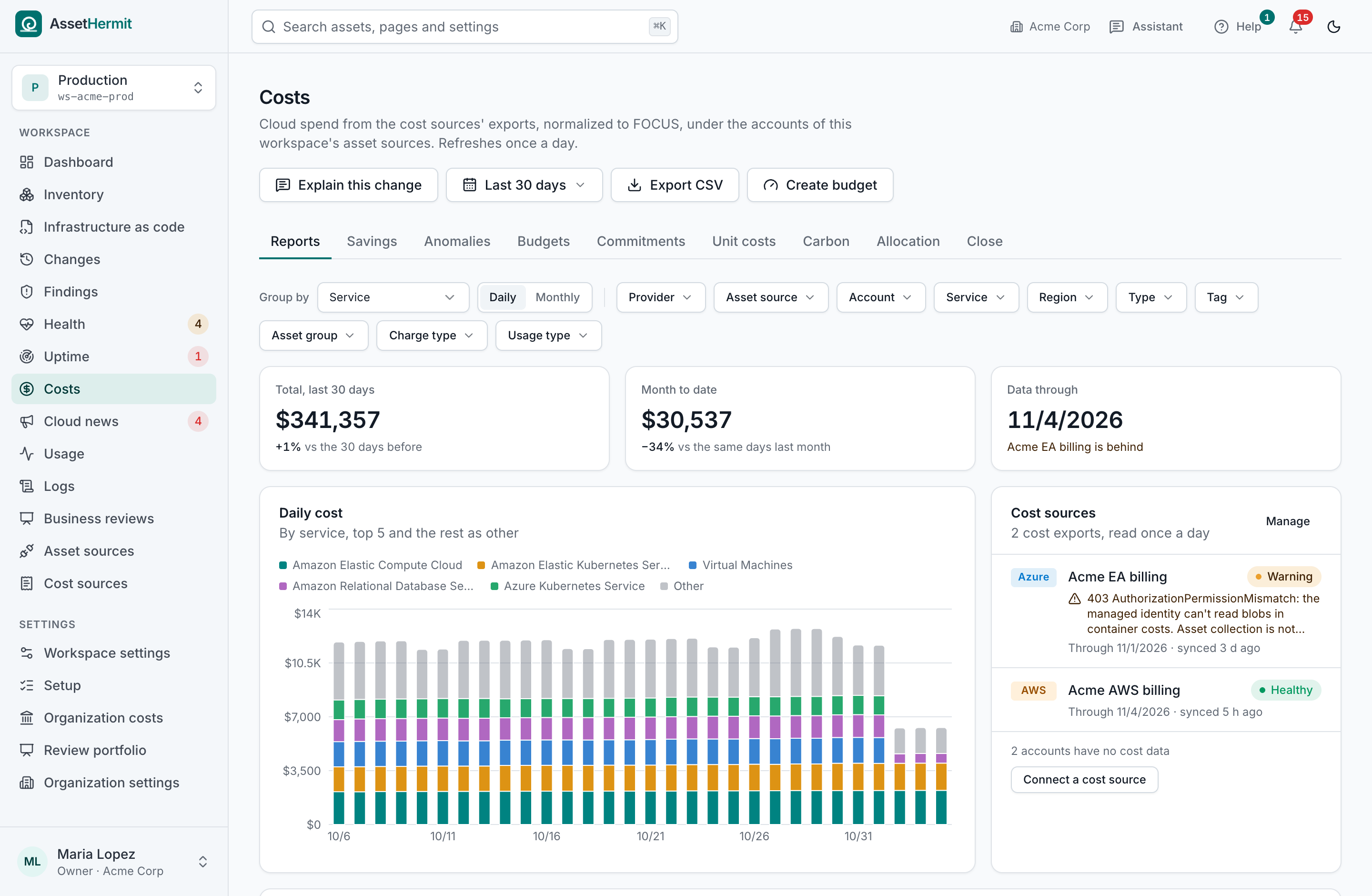
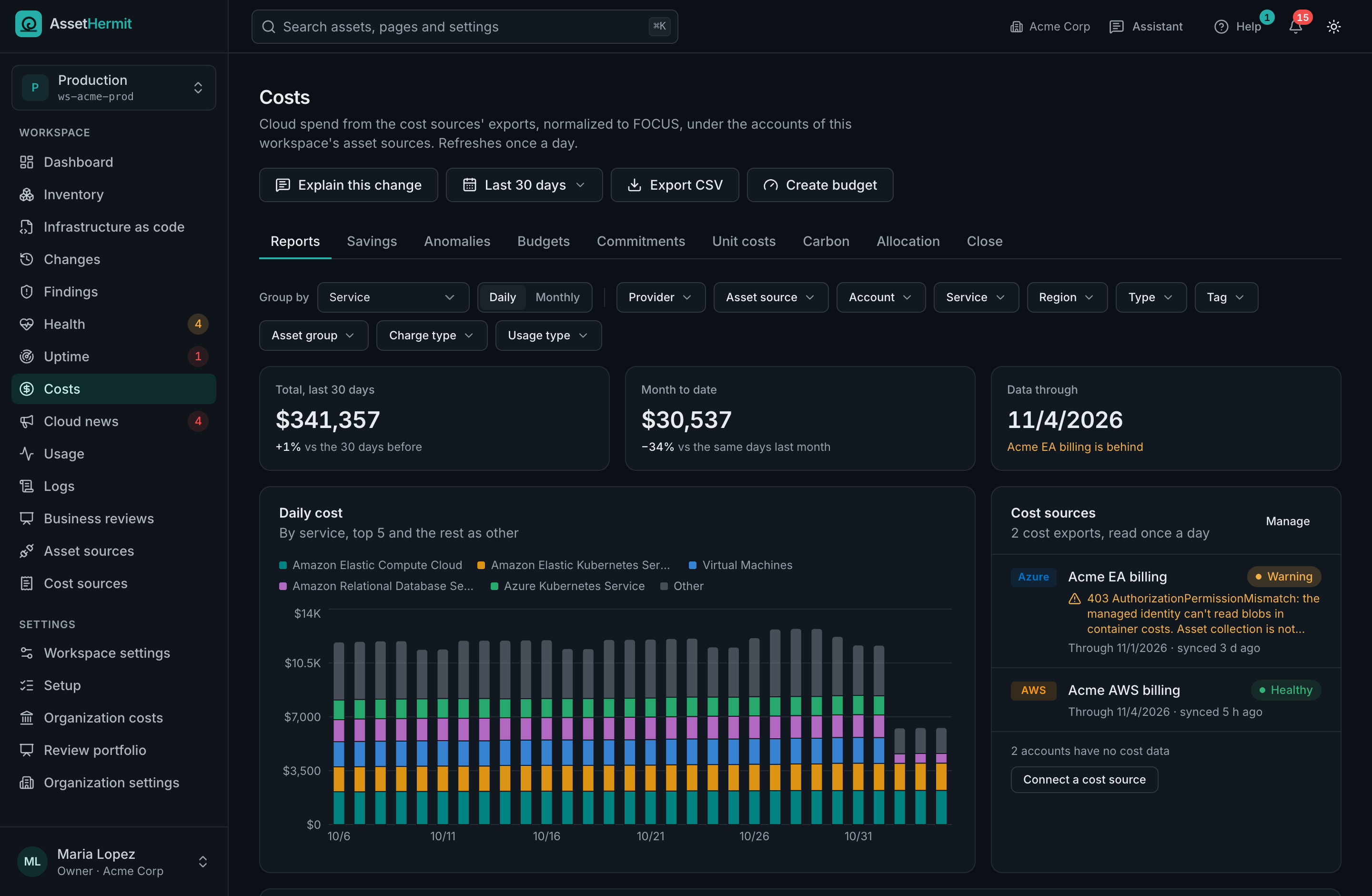
Cost comes from your clouds' own cost exports, normalized to FOCUS and linked to the assets in your inventory, so a cost has an owner and an asset has a cost.
Cost reports
By account, service, region, tag, group and asset, in your currency, with the month's forecast, last year beside it and a sentence on what moved.
Savings, priced from your bill
Unused disks, idle databases, oversized instances and old snapshots, each with what it cost you, never a list price.
Anomalies, explained
Every unusual rise or fall in daily spend, with the service, account and usage behind it, and whether usage or price drove it.
Savings the bill confirms
Each opportunity is followed until it's gone, then the bill is checked. Only what it shows counts as saved.
BudgetsBeta
Fixed or worked out from your own spend, by month, quarter or year, with forecasts that warn before a budget runs out.
AI spend by modelBeta
What Bedrock, Vertex AI and Azure OpenAI cost by model, and the accounts that spend on AI without an AI resource.
Cost for finance
Cost centers, month close, commitments and unit costs, for the people who book the bill.
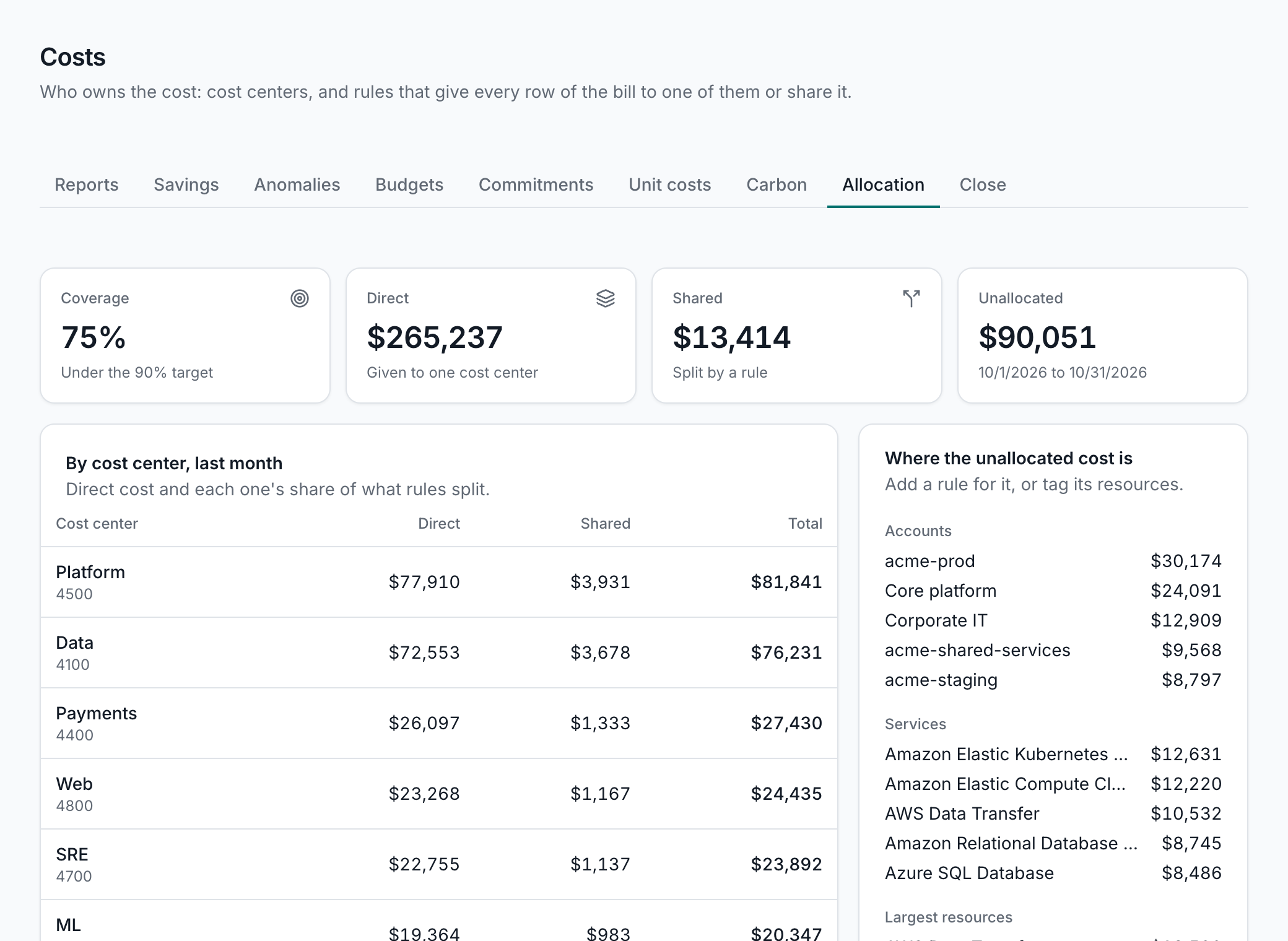
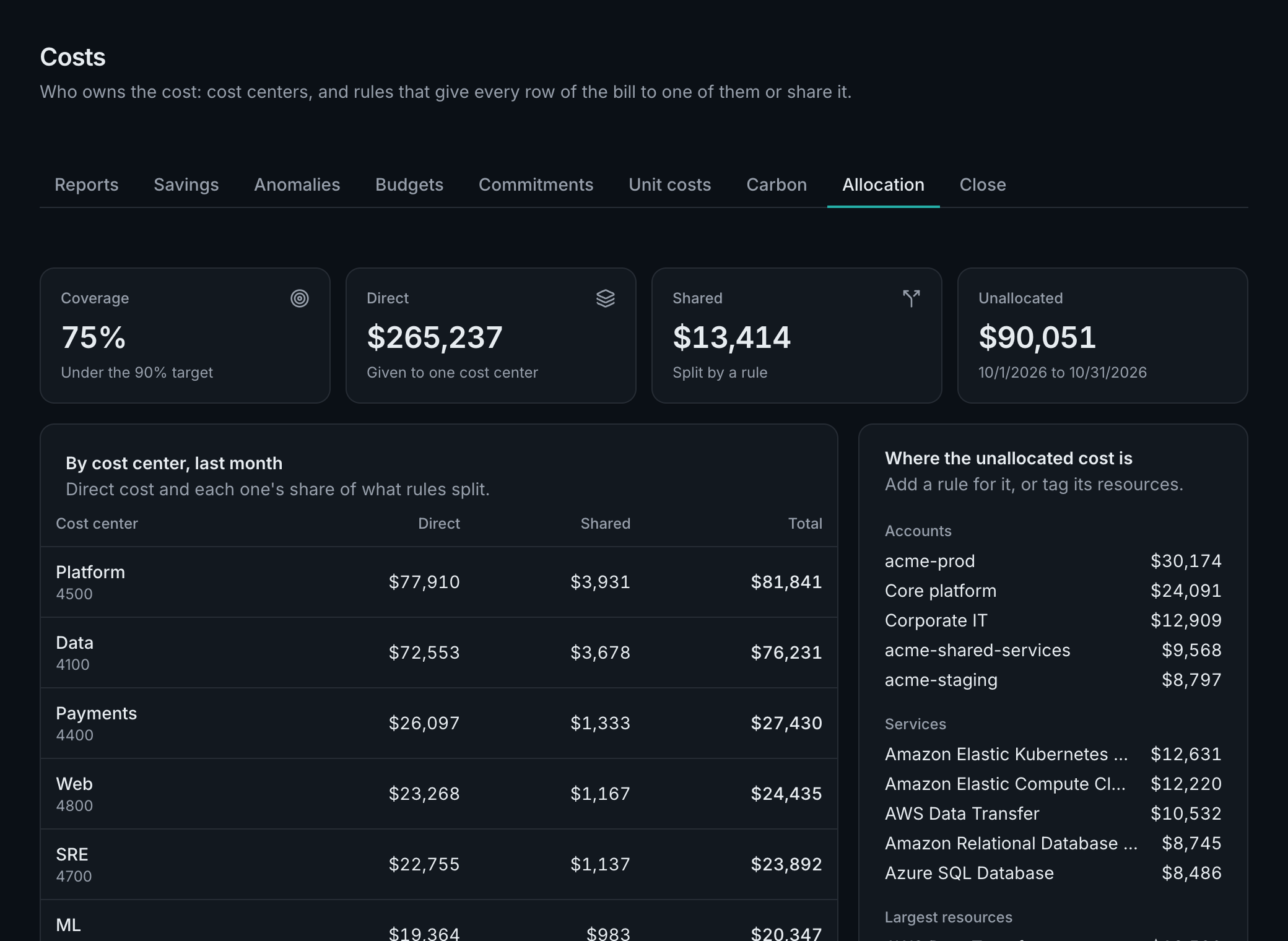
Give every cost row an owner, close the month and book it, and know before a commitment ends.
Cost centers and allocation
Ordered rules give each cost row to a team or product, by account, tag, group or service, and split shared cost fairly.
On the Team and Enterprise plansRead the docs: Cost centers and allocation
Month close
Close a month once its cost stops changing: each cost center's statement and a journal by GL account, frozen. Restatements are booked once.
On the Team and Enterprise plansRead the docs: Month close
Commitments and contracts
Every savings plan, reservation and committed use discount, its use, its end and what ends with it; spend commitments burned down.
Unit costs
Cost per order, per customer or as a share of revenue, from numbers your business counts, with a target.
On the Team and Enterprise plansRead the docs: Unit costs
CarbonBeta
Your providers' own emissions estimates by service, account and cost center, with a yearly CSV for your sustainability report.
Resellers and their customers
Partner discounts shown or left out, and a cost source that imports only some accounts, so each customer sees only its own.
Operations
Uptime, provider incidents, usage and logs, read from the clouds you already run.
What your clouds already measure, in one place and tied to the inventory: no agents to install, nothing to copy out of your accounts.
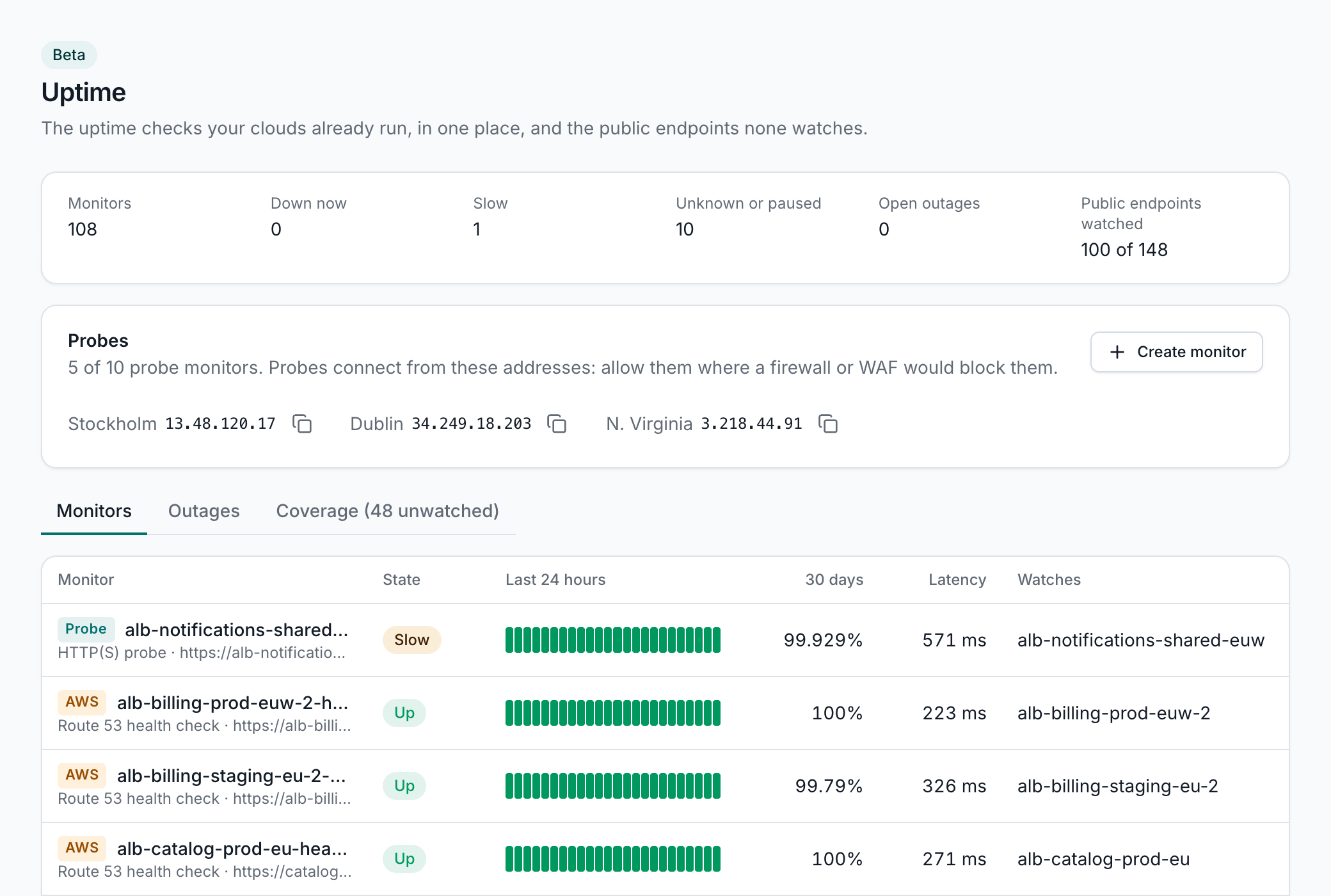
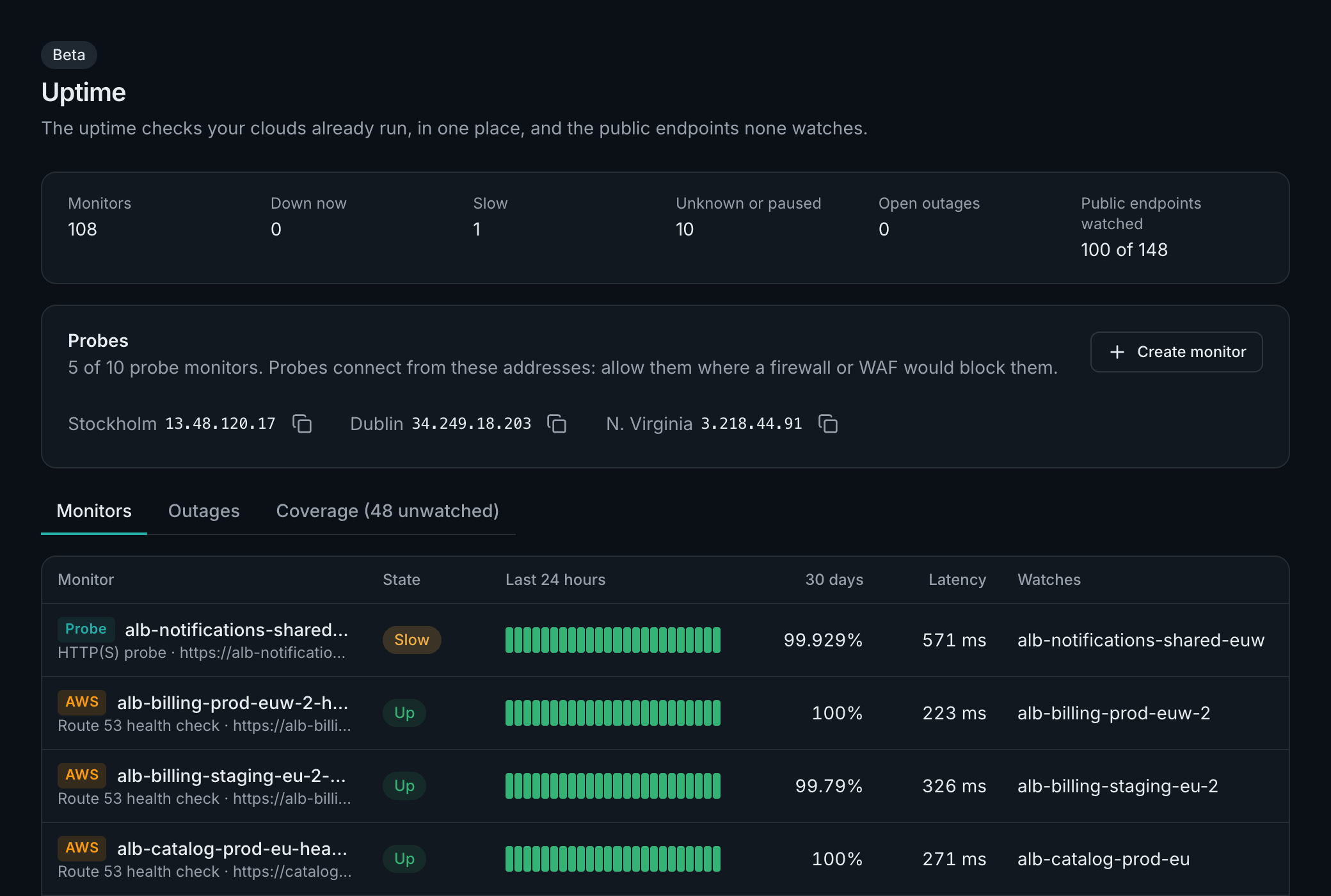
UptimeBeta
Your clouds' own health checks and canaries in one place, the public endpoints none of them watches, and every outage with what changed around it.
Provider health eventsBeta
What AWS, Azure and Google Cloud say about your own accounts: incidents, scheduled maintenance and actions due, with the resources they name.
Usage and capacity
Each asset's metrics: idle and oversized resources, unusual usage, capacity running out and service quotas near their limit.
Where every asset logs
Your log groups and where each trail, flow log, load balancer, bucket and function writes, and what isn't logged at all.
Log queriesBeta
Query CloudWatch, S3, Google Cloud and Azure logs where they are, with an estimate before each query and caps your admins set.
On the Team and Enterprise plansRead the docs: Log queries
Cloud news that affects you
The providers' announcements, retirements and security bulletins, matched against the services and regions you actually run.
AI assistant
Ask about your clouds in plain words, in the app, in Slack or in your own AI client.
The assistant reads only what you may see, shows what it read, and is off until an admin turns it on.
Ask in plain words
Turn a question into a query in the search bar, or ask the panel and get an answer from your inventory, costs, findings and logs.
In your AI clientsBeta
Claude, ChatGPT, Cursor and other MCP clients ask about a workspace signed in as you, with an admin's approval.
In SlackBeta
Ask in a direct message, or mention the app in a channel, and the answer streams into the thread.
On the Team and Enterprise plans
On your own modelBeta
Connect Claude on your own Amazon Bedrock, and the assistant answers there, drawing no credits.
Working together
The right people told, a shared wiki for what you know, and a setup guide for what's next.
Alerts that resolve themselves, a summary each week, and a place for runbooks that show live numbers.
Notifications
Alerts when a sync can't read your cloud or an endpoint goes down, notices when findings open or spend jumps, in your inbox, by email and in Slack.
A weekly digest
Each Monday: what changed, findings opened and resolved, cost against the week before, anomalies, savings and provider incidents.
WikiBeta
Runbooks and notes beside the assets, groups and rules they're about, with live lists, counts and cost charts in them.
On the Team and Enterprise plansRead the docs: Wiki
A setup guide
The next steps worth taking in your workspace, worked out from what's connected and what isn't.
Roles and sign-in
Organization and workspace roles, MFA on every password, and sign-in with Google or Microsoft.
Support from the app
Open a case from where you are, with the context attached, and follow it to the answer.
Take stock of your cloud
Start a 14-day free trial, no card needed. Connect a first cloud and see everything you run in one place.